Showing posts with label Digipak planning. Show all posts

Friday, 16 February 2018

How I made the dijipak

This is the digipak that i created on Photoshop 2017 cc, I've had some experience with photoshop before so I new some shortcuts and how to do certain porcess to the images.
The front cover is a picture of alex with a simple blue overlay with another layer applied so i could make the paintbrush stroke stand out infront of alex.



When you open the digipak the next panel you would see is the one on the bottom left, this effect is called a disperison effect, and is supposed to look like the photo to the right.


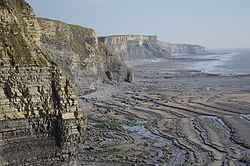
The inside of the dijipak is Flat landscape image of the southerndown cliffs where we filmed the majority of the video. To learn how to do this is watched a youtube tutorial and i now know how to produce one with little guidance. The image is traced around for the most accurate results ws the one below .
I had to download the font of the internet as I felt is was the best one that would suit my theme. I also had to download bruhses of the internet for photoshop as there were no presets on photoshop.

Thursday, 15 February 2018

Digipak plan


Digipak photos

Here are the photos that I plan to use for my Dijipak

 I took this picture myself with a Canon 700D on the last filming day, i really like this picture because the glare of the sun adds a silhouette effect on Alex. I'm going to use this for my front cover


With this photo of Alex i can put in the inside panel after the front cover, i can do some research to some effects to add which will make this image stand out


I created this image myself on Photoshop, after watching a YouTube tutorial i found it very easy to create. i will use this on the inside panels and spread it across all 3 panels so it will be effective


Thursday, 1 February 2018

Digipak 1st draft

This was myfirst draft for my digipak, i like the 6 panel design and think i will keep it, i also like the front cover but im not to keen on the writing because it changes colour alot due to it having a exclusion mask which makes it a differnt shade depending on the colours underneath. I like the font i've used I had to download it off the internet and install it into photoshop. The changes i would make to this is changing the white text on the top panel when you open it up, I would move the text to the right side on the darker part so it is easier to read and draw the customers attention.

Monday, 15 January 2018

Digipak planning

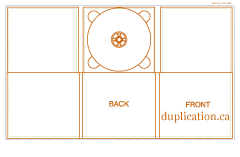
Image result for digipak templateImage result for digipak template
These are the different templates for the digipaks with the different number of sides. For my digipak im thinking of using a 6 panel pak and want to include a panoramic photo of jade and alex looking at eachother and their faces would be on different panles so when you open it up it reveales them looking at eachother with the beach in the background so it relates to out video.